
- calculate the total Quantity for all items with the same support code, claim type and GST type in the same plan and period.
- Use the Start Date and End Date to declare the range of Support Dates.
How will scanning handle this?
Planability will automatically aggregate claim lines if they have the same support item code, claim type, gst type and unit price, and the support dates of all lines fall within the same plan or funding period.
Claim lines will not be aggregated if their support dates span two or more funding periods. For example, if three claim lines relate to supports delivered in funding period 1 and one claim line relates to supports delivered in funding period 2, Planability will create two separate claim lines—one aggregated line for all period 1 supports and a second line for the period 2 support.
What happens if you enter the same support code on more than one line?
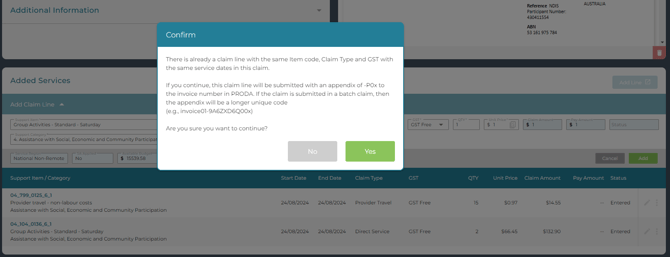
When you add a line that is a duplicate of an existing one, you will be warned with this pop-up:
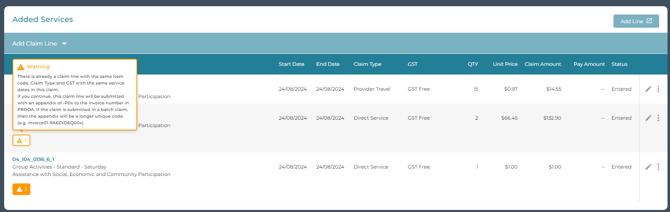
and it will be highlighted on the claim line in the Claim Edit page
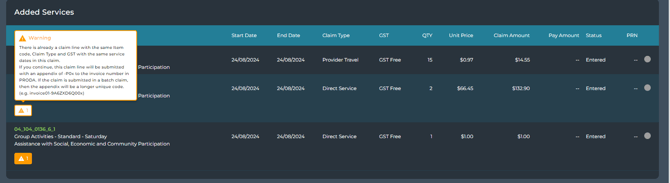
and Claim Details page
For more information on dealing with rounding issues read Rounding Issues.