
Claims with a status of NDIS Paid, and payment status Payable will be included in Create Batch.
When you create a batch, check that the amount you are paying matches the amount you have received from NDIS. If the amount does not match, review part-paid claims, or cancelled claims that were previously paid by the NDIS to help reconcile the difference.
If you have received MORE money than you are paying in the Batch payment:
- Check for part-paid invoices. This can happen when an invoice includes a rejected or cancelled claim line, or when some claim lines have been paid while others are still showing a status of Submitted.
- To find claims with a rejected or cancelled line check Claims with Issues or Override Claims. If appropriate, you can enable payment or edit the claim and re-submit additional claim lines so the invoice can be paid in full.
- To find partially paid claims, use the Claim Line report with the following search settings:
- Claim Status : Submitted
- Date Filter Type : NDIS Paid Date
- From and To date fields : select the payment date such as the previous day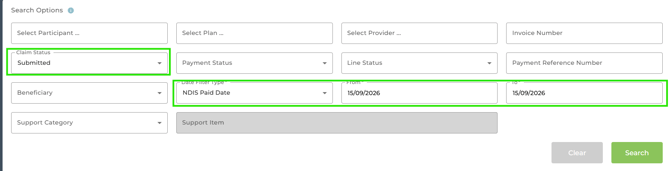
This will discover any claim line that the NDIS has just paid, and where the claim is not yet paid in full (Status = Submitted).
- Check for any claims that were submitted more than 10 days ago. If the NDIS has since paid any of those claim lines they may not have yet updated in Planability and may require a manual status check. See Claims with Issues: when no NDIS update received within 10 day window
Whilst these claims can be found in Claims with Issues a search in the Claim Line Report will also discover them.
- Claim Status : Submitted
- Date Filter Type : Submit Date
- From and To date : select the required date range with the 'To date' set to 10 days before the current date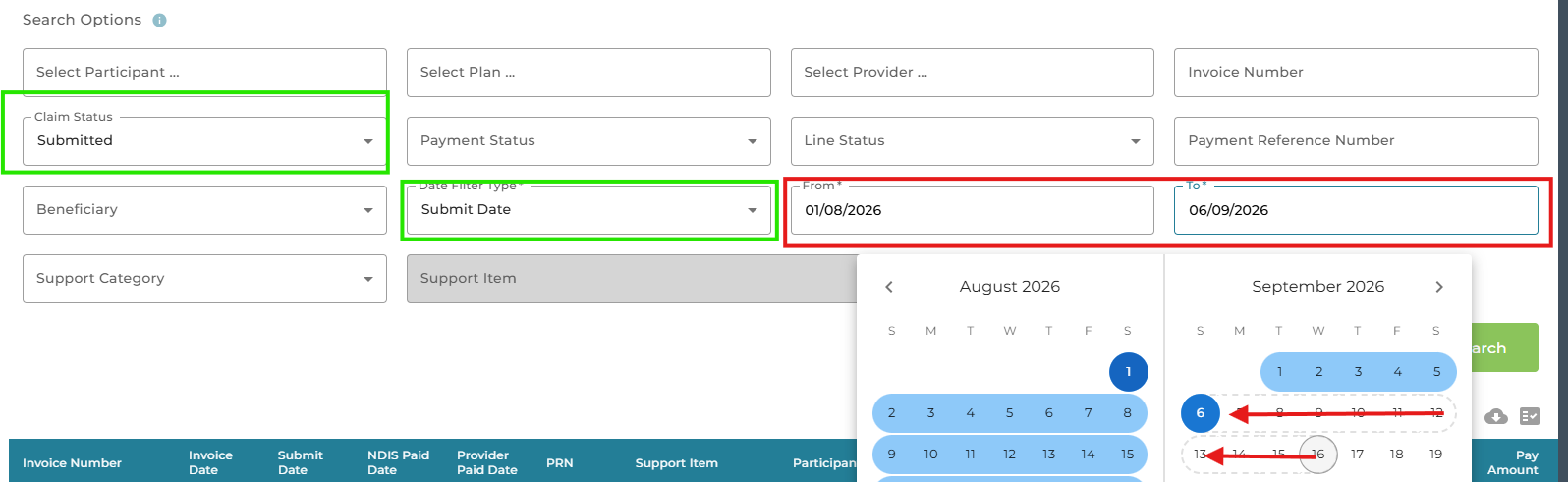
- Check for claims submitted outside of Planability such as Provider Payment Requests. If you have submitted a claim in PRODA you may receive payment for it along with payment for claims made from Planability. The Payment Batch will not include this claim as it does not exist in the software. You will need to pay the beneficiary separately via your bank account. Alternatively see Import PRN to Planability if you wish to import the claim and payment so it is recorded and available for payment to the provider.
If you have received LESS money than you are paying in the Batch payment:
If you have received payment for a claim or claim line and later cancelled it, the NDIS will deduct that amount from your next payment to balance payments.
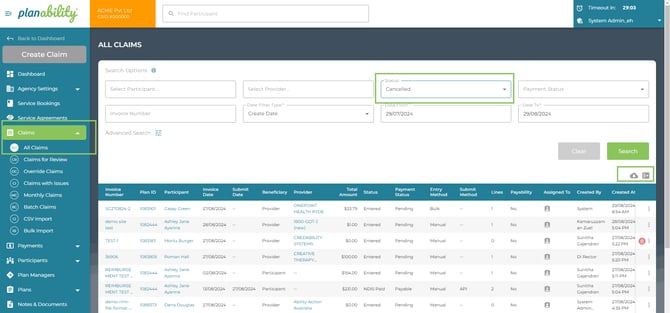
To help identify cancelled claims or claim lines that may have affected your NDIS Payment:
- Search by Status in All Claims = Cancelled
- Search in Reports > Claim Line Reports to identify cancelled Claim Lines.
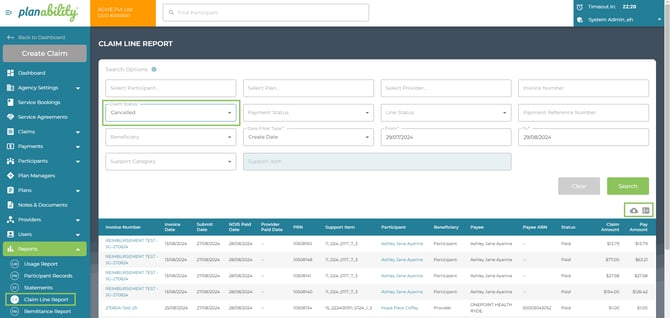
You may also find it helpful to search by Claim Status = NDIS Paid and edit the Date Filter Type to NDIS Paid Date.
Downloading a csv from this report may help with your review.
- Check your Agency NDIS Remittance Reports via Reports > Remittance Reports. Each Claim line and PRN is reconciled with the claim line in Planability. The report identifies any claims that have been cancelled or any not found in Planability.
Note: The NDIS Remittance Report is generated by the NDIS and received a day or two after payment is made to your account.
Related Reading: Remittance Reports